
How to Copy or Download YouTube Transcripts & SRT Subtitles (Chrome, Edge & Firefox)
Copy a YouTube transcript, choose the right caption track and export SRT or VTT. See how video-download support differs across Chrome, Edge and Firefox.
Read the transcript on YouTube
Open the full video page and expand its description, then choose Show transcript when available. Click a timestamp to jump to that point in the video. If no transcript appears, check whether CC is available and whether the video has finished processing. YouTube can take time to generate captions.
Copy text or save a timed subtitle file
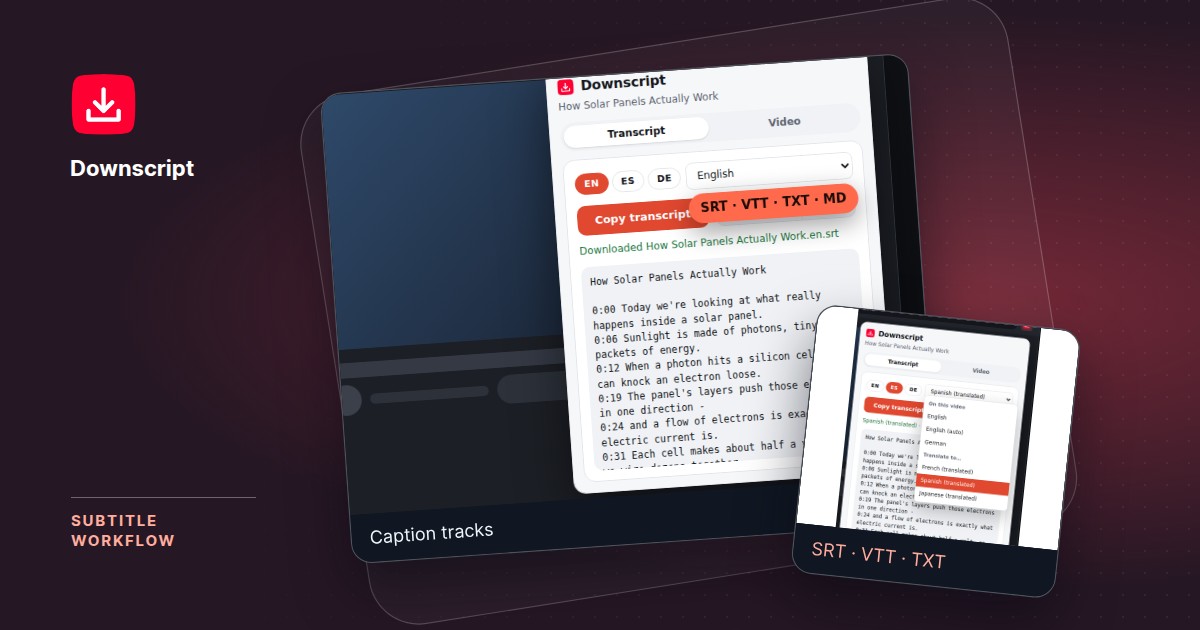
- Install Downscript for your browser. Open the video’s regular watch page and select Transcript in the extension.
- Choose the caption language, then check the preview against the audio. If both are available, prefer a creator-provided track for a publication. Review names and numbers carefully when using auto-captions.
- For notes, click Copy transcript or save TXT or Markdown. The format options let you include or remove timestamps. For an editor, select SRT or VTT in the download format menu and click Download.
- Import the timed file alongside the original video and check a cue at the start and near the end. If you trimmed the video first, align subtitle cues to the edited timeline before exporting.
What changes across the three stores?
Chrome Web Store and Microsoft Edge Add-ons builds offer transcripts and subtitles on YouTube and support video downloads on other eligible sites. YouTube video downloading is disabled in those builds to comply with store rules. In the Firefox edition, the Video tab or the button below the player can save eligible YouTube videos when you have permission. For videos on your own channel, YouTube Studio also provides an official download.
If you need a different language, first check the existing caption tracks. Downscript’s free tier covers existing transcripts and subtitle downloads. Translation is a separate Pro feature. A missing caption track needs to be created or supplied before you can export it.
See YouTube Help on transcripts and the Microsoft Edge Add-ons policies.
Get Downscript
Frequently asked questions
What is the difference between SRT and a text transcript?
SRT includes start and end times for subtitle cues. A plain transcript is convenient for reading and searching. Use SRT or VTT when the words must follow the video timeline.
Can I get a transcript when YouTube has no captions?
Check the available caption languages and the native transcript panel. If the video has no usable track, Downscript has no captions to export.
Do I need Firefox to download subtitles?
No. Chrome, Edge and Firefox all support Downscript’s transcript and subtitle features. Firefox adds support for eligible YouTube video downloads.