 Cam
Your mini camera.
Your network.
CamSave watches and records the little cube Wi-Fi cameras, the ones with a BK… hotspot that came with the iWFCam app. Live view, photos, recording and sound, straight from the camera to your phone or PC. No account. Recordings stay on your devices; optional Pro viewing away from home uses an end-to-end encrypted relay.
Free download · Windows 10/11 x64 · Automatic updates
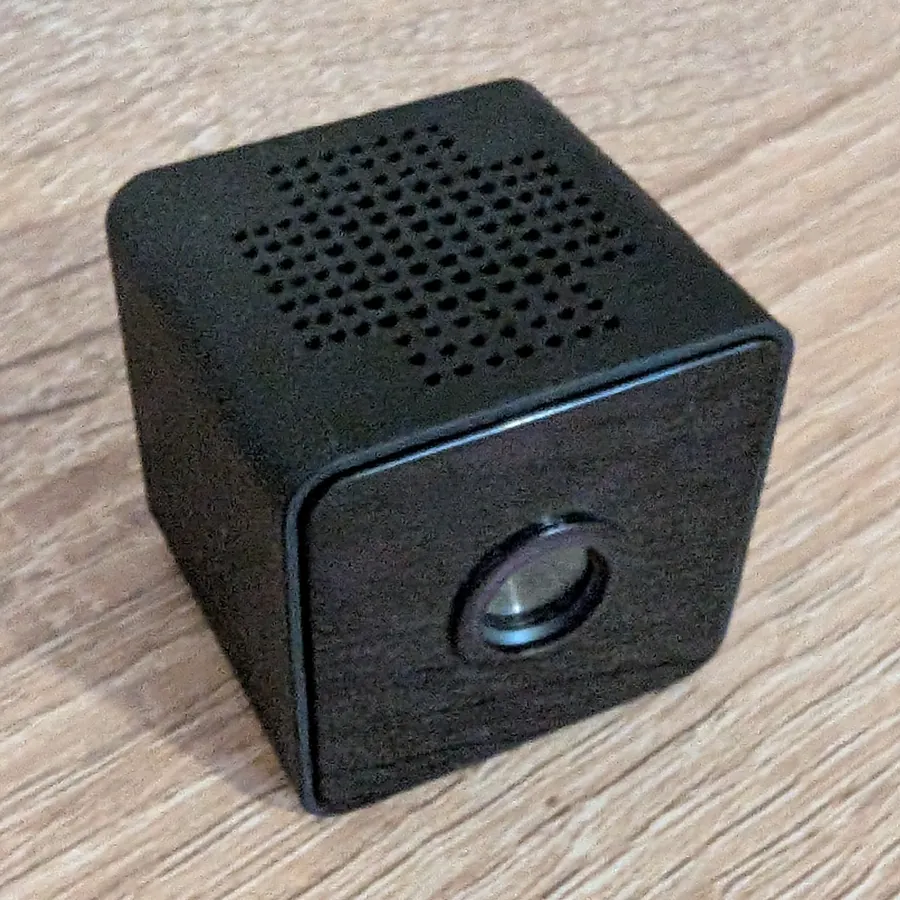
Everything you bought the camera for. On your devices.
Watch live
A smooth live picture from the camera, with sound. Flip or mirror it, and set brightness and contrast.
Record and snap
Record clips and take photos to your phone or PC. Your files, in your folders, in normal formats.
Pair from the sticker
Scan the QR code on the camera's sticker. CamSave finds the BK hotspot and connects, with the default password filled in.
Camera wall PRO
Watch and record all your cameras at once. The PC hub keeps every camera connected, something a phone alone can't do.
Motion and 24/7 PRO
Record only when something moves, or around the clock in rolling files. Old recordings can delete themselves after the days you choose.
Clear picture PRO
These cameras are soft and noisy. Clear picture removes noise, adds contrast and sharpens. Auto-brightness keeps the image right as the light changes.
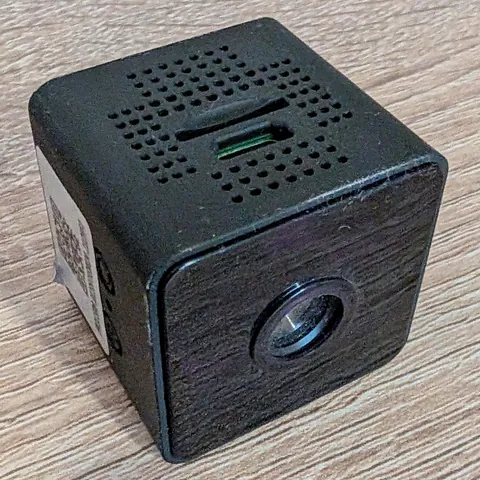
Made for the little BK cube cameras
If your camera is a small black cube of about 3 cm, makes a Wi-Fi hotspot named BK followed by numbers, and its box or manual said to install iWFCam, CamSave works with it.
- Sold as W8, W9, A9, BK-21, SE008, or "mini WiFi camera", under many brand names
- A QR sticker on the side and a MODE button for reset
- Works on the camera's own hotspot, or once it is on your 2.4 GHz home Wi-Fi
CamSave is an independent app by Panaweb LLC. It works with cameras that use the iWFCam app, but it is not made by, affiliated with or endorsed by iWFCam or any camera maker.
Set up in a couple of minutes
Reset if needed
New or used before? Hold MODE for about 6 seconds. The camera restarts with its default password 8888.
Scan the sticker
In CamSave, add a camera and scan the QR code on its sticker. Tap Connect and your phone joins its BK hotspot.
Put it on your Wi-Fi
Pick your 2.4 GHz home Wi-Fi, so the camera, phone and PC all see each other.
Watch and record
Open it live on the phone, or let the PC hub record it with your other cameras.
Step by step, with fixes for common problems: CamSave help.
The PC hub: every camera, one screen
A phone can only join one camera's hotspot at a time. CamSave for Windows stays connected to all your cameras on the home network, records them, and shows them on your phone or any browser in the house.
- Camera wall with battery, recording timer and online status
- Records to your PC, filed by camera and date
- Re-streams on your LAN to the phone app or a browser (Pro)
- Runs in the tray and can start with Windows
Your phone. Your Windows camera.
Stream your phone camera over Wi-Fi and record MP4 clips on your PC. Choose the camera, resolution, frame rate and quality, with optional microphone audio.
- Install the latest CamSave Windows hub and connect the phone and PC to the same Wi-Fi.
- Choose Stream this phone to a PC on Android or Stream this iPhone on iOS. Select the discovered hub or enter its local address, then start streaming.
- Start or stop recording from your phone or the Windows hub. Keep CamSave open and your iPhone unlocked while streaming.
Phone-camera setup guide Watch the 42-second demo
The demo uses an Android emulator with a simulated camera and silent microphone input.
Get CamSave
Android
Version 2.3 adds phone-camera streaming to Windows, with optional microphone audio. Mini WiFi camera viewing and recording are included.
Get it on Google PlayiPhone and iPad
Version 1.1 is available now. View and record mini WiFi cameras, or stream your iPhone or iPad camera to the Windows hub.
Download on the App StoreWindows
The PC hub: watch and record cameras on your PC. Version 1.1.1.
Free download · Windows 10/11 x64 · Automatic updates
Downloads Microsoft's installer. Internet is required to install.
Portable ZIP download
Download CamSave 1.1.1 ZIP for Windows x64
Extract all files, then run CamSaveStore.exe. This executable is unsigned, so Windows may show a publisher or SmartScreen warning. For most users, we recommend the Microsoft Store installation above.
macOS
The same hub for your Mac: camera wall, recording and phone viewing. Version 1.1 universal app for Apple Silicon and Intel Macs.
Download CamSave 1.1 DMGSigned and notarized by Apple · Apple Silicon & Intel · 96 MB
Phone-camera streaming works with Android 2.3 or iPhone/iPad 1.1 and Windows hub 1.1.1. Both mobile apps still support mini WiFi cameras.
Free to use. CamSave Pro is one payment of $14.99 for 3 devices. On Google Play, buy Pro inside the app.
Questions
Is this the iWFCam app?
No. CamSave is a separate app made by Panaweb LLC. It talks to the same cameras, so you can use it instead of iWFCam, but we are not connected to iWFCam or the camera makers.
Does my video go to the cloud?
Local viewing connects directly to the camera and records to your own phone or PC. If you enable Pro viewing away from home, encrypted viewing data passes through our relay without storing your recordings. No account is required. See the privacy policy.
Can I watch from outside my home?
Yes, with the optional Pro away-viewing feature enabled on your PC hub. It uses an end-to-end encrypted relay and does not require opening an incoming port on your router. Local viewing is the default.
Why is the picture soft?
These cameras send 640×480 video, which is their hardware limit. CamSave asks for the best the sensor gives, and Pro's Clear picture cleans it up further.
The camera won't connect.
Hold MODE for 6 seconds to reset it to password 8888, keep it powered by USB, and use 2.4 GHz Wi-Fi. More in troubleshooting.