Downscript
Free for Chrome, Edge and Firefox
Download the video. Or just the words.
Save videos as one MP4, even when the site streams them in pieces. Copy a YouTube™ transcript with one click, or download it as TXT, SRT, VTT or Markdown, in any caption language.
Add to Chrome, it's free How it worksAlso on Microsoft Edge Add-ons (version 1.4.1) and Firefox Add-ons, where it downloads YouTube videos too.
What it does
Video downloads
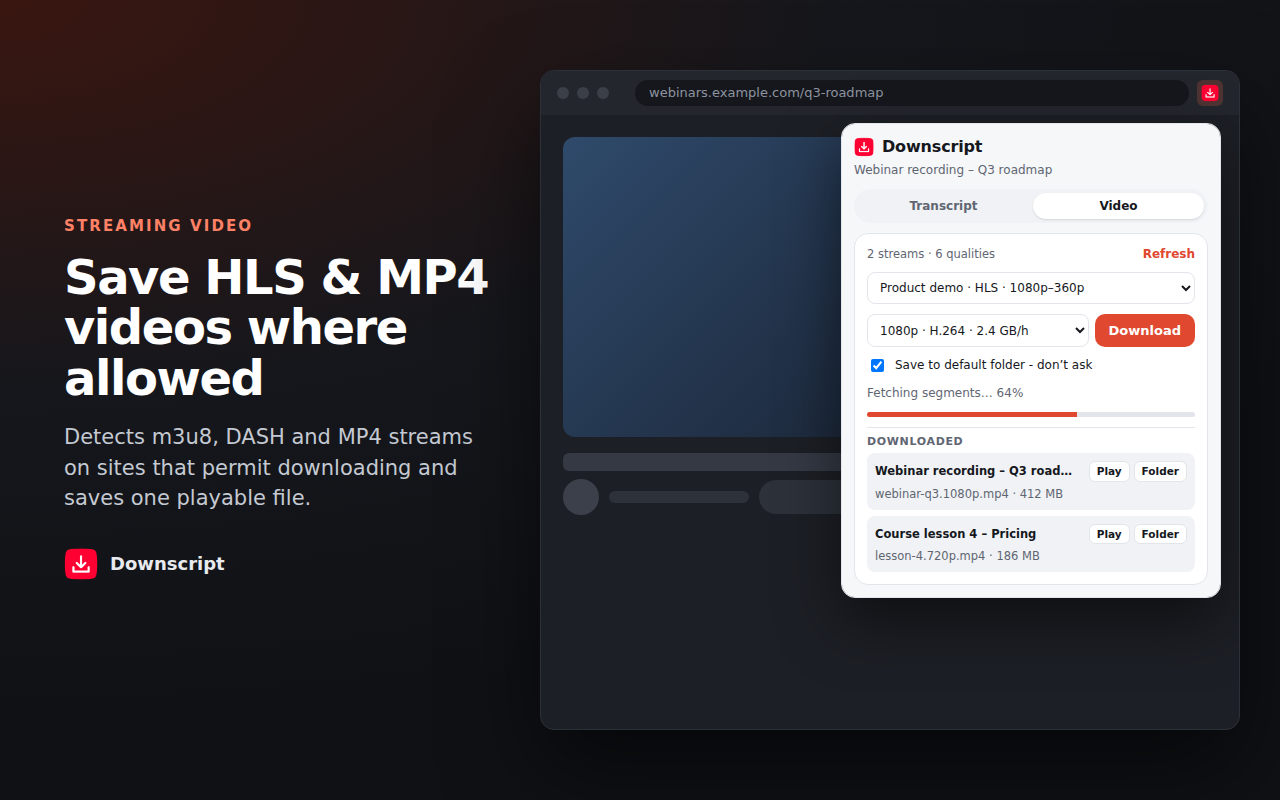
Finds the HLS (m3u8), DASH and MP4 streams a page plays, lets you pick a quality and saves one MP4 you can play anywhere.*
Transcript to text
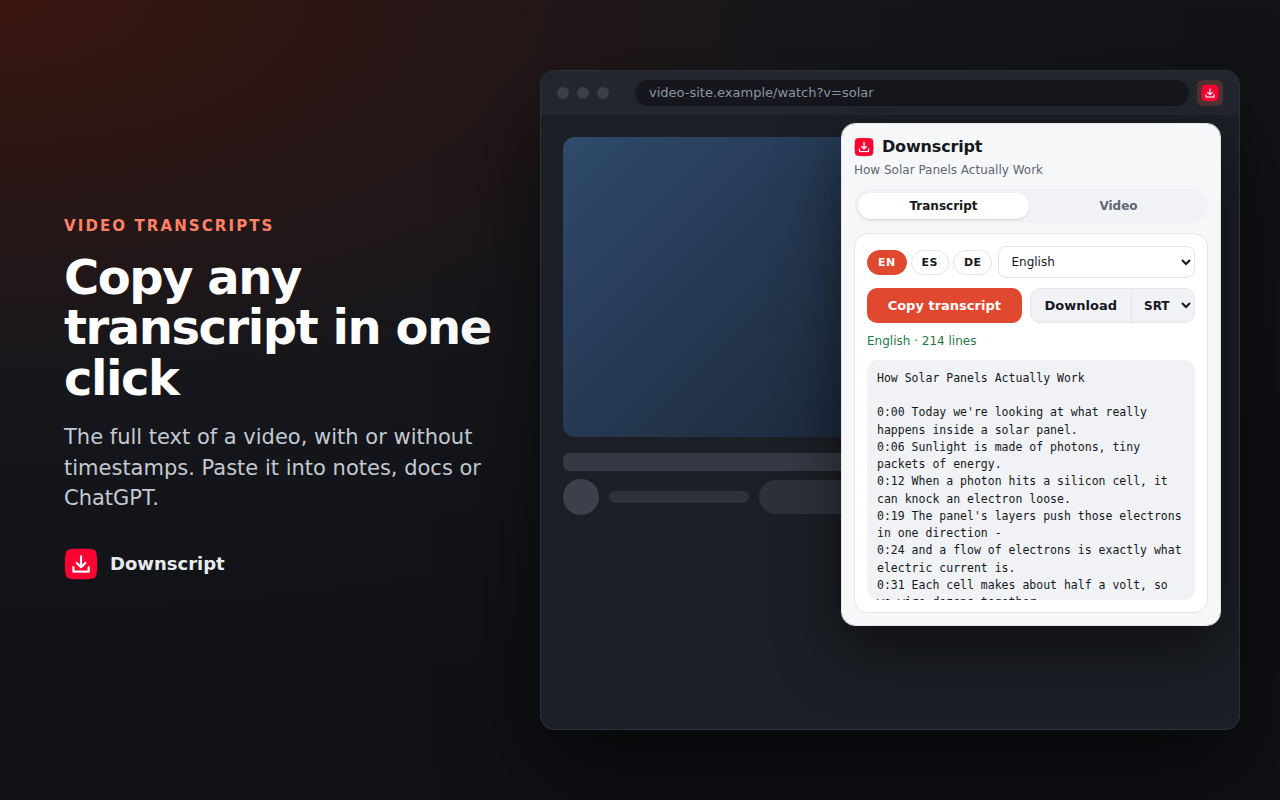
Copy the full transcript with or without timestamps and paste it into your notes, a doc or ChatGPT.
Subtitle files
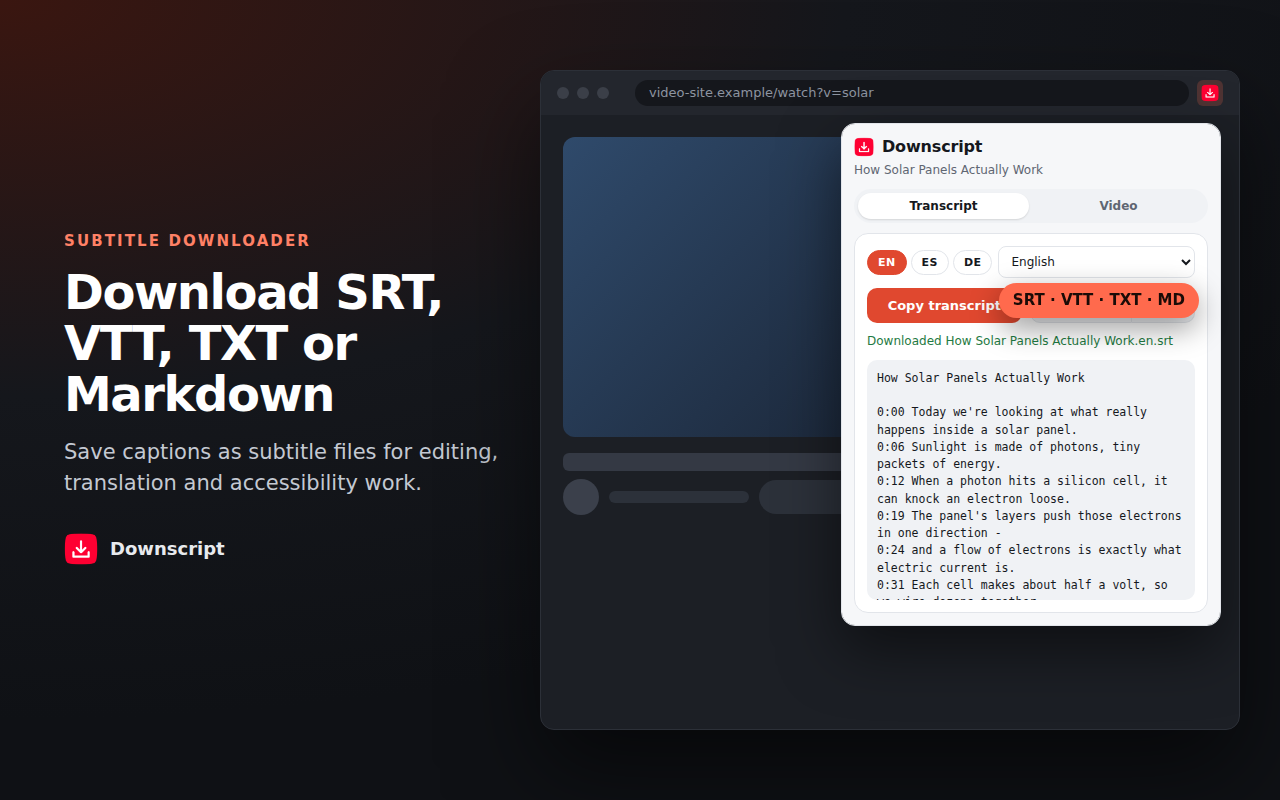
Save captions as SRT or VTT for video editors, translation work or accessibility.
Your language first
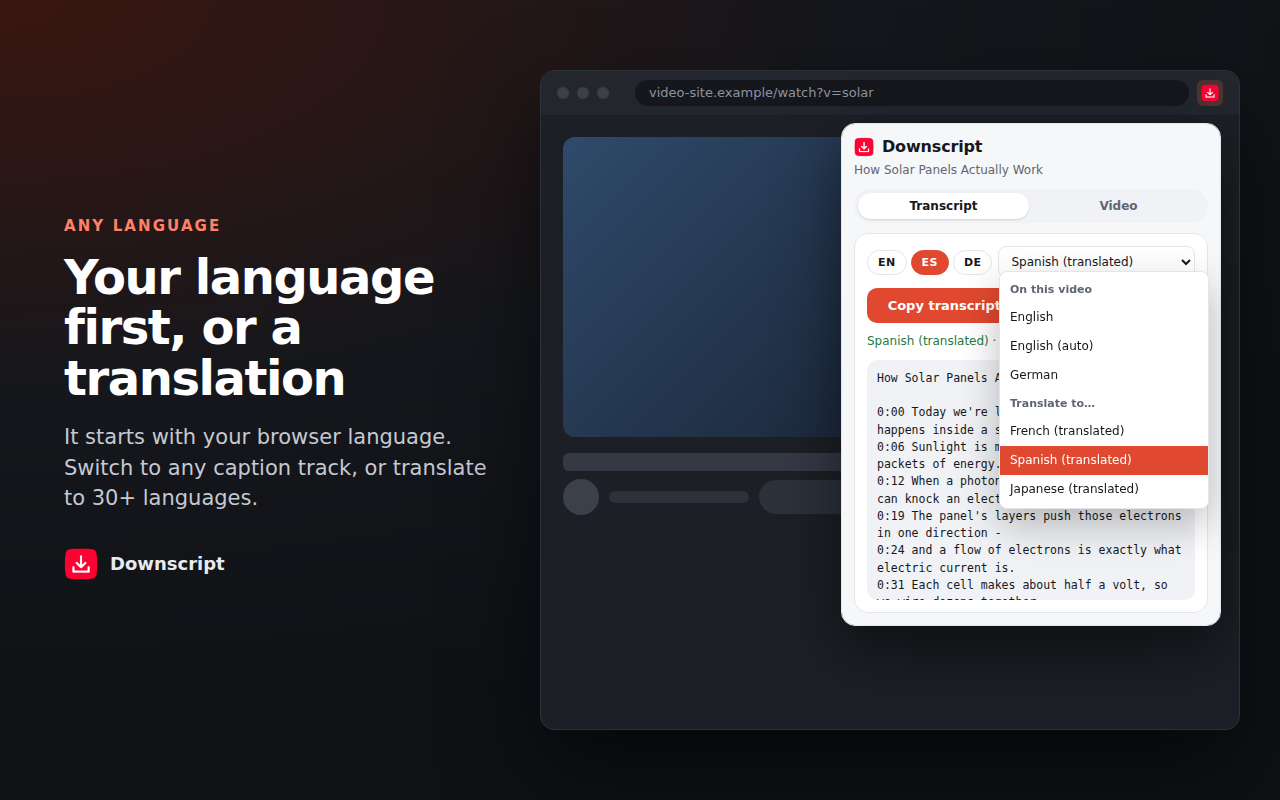
It picks the language your browser uses. Switch to any other caption track, or translate to 30+ languages.
Buttons under the video
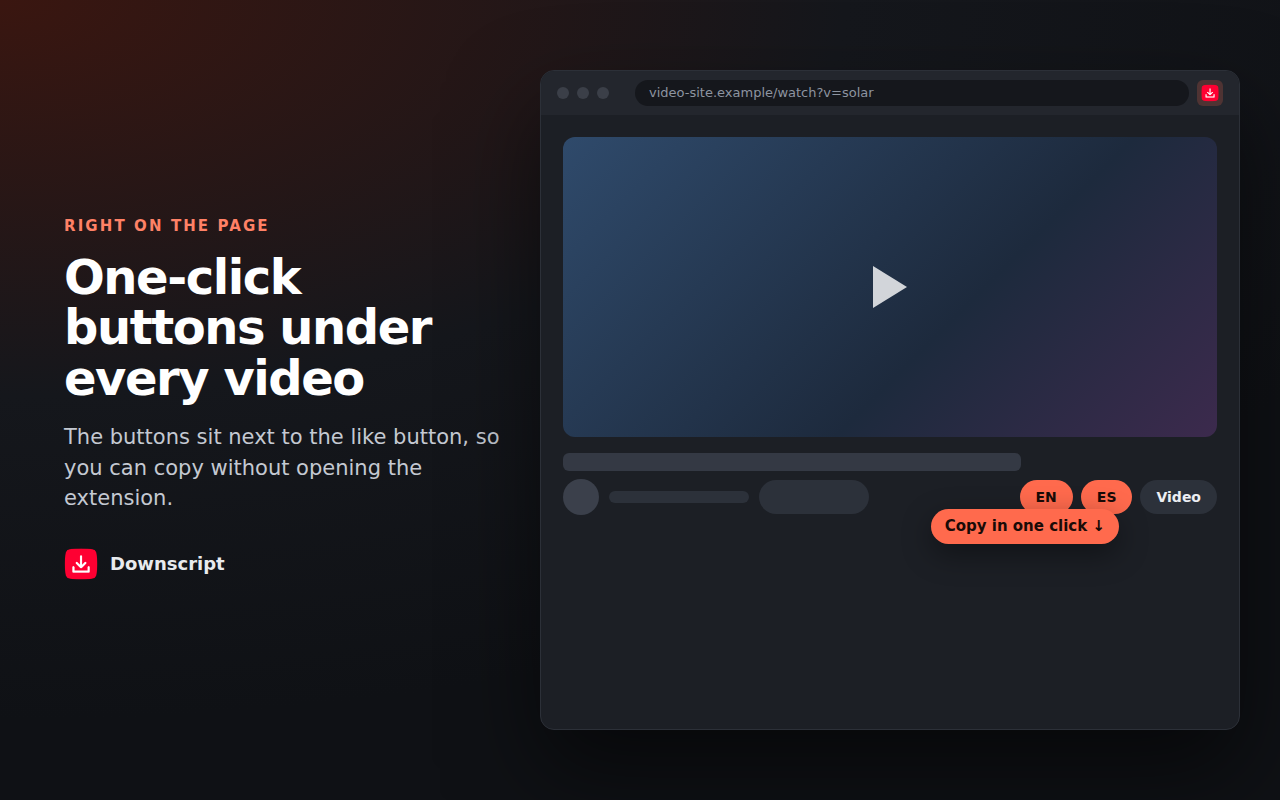
Copy buttons sit next to the like button, so you don't have to open the extension.
Stays on your computer
No account and no tracking. Your transcripts are never sent to us.
* Video download works on sites that allow it: 3 a day free, unlimited with Pro. The Firefox edition also downloads YouTube videos; Chrome Web Store and Microsoft Edge Add-ons rules restrict those downloads, so the Chrome and Edge editions offer transcripts and subtitles on YouTube. DRM-protected video is never downloaded. Only save videos you own or have permission to save.
How it works
Who uses it
Students and researchers
Turn a lecture into notes you can search, and quote with timestamps.
Writers and creators
Use your own videos as a starting point for blog posts, show notes and captions.
Language learners
Read along in the original language, then compare it with a translation.
Download videos as one MP4
On course platforms, webinar pages and other sites that allow it, the Video tab lists the streams the page plays. Pick a quality and the extension joins the pieces into one MP4.
You can pause, resume and run several downloads at once. Finished files stay in a list so you can open them later.
In Firefox, a Video button also appears under YouTube videos.
Questions
How do I get the transcript of a YouTube video?
Install Downscript, open a video and click Copy under the player or in the extension. Pick TXT, Markdown, SRT or VTT to download a file instead.
Is it free?
Yes. Transcripts and subtitles are free with no limit, and you can download 3 videos a day. Pro adds unlimited video downloads and caption translation.
How do I download a video?
Play the video, open the extension and go to the Video tab. Pick a quality and click Download. You get one MP4 file, even when the site streams the video in small pieces.
Can it download YouTube videos?
Yes, in Firefox: use the Video button under the player or the Video tab. The Chrome and Edge editions offer transcripts and subtitles on YouTube under their respective store rules.
Which browsers does it work in?
Chrome, Edge and Firefox are available today. Safari on Mac is coming soon with transcripts and captions.
What if a video has no captions?
The extension tries the video's transcript panel. If the creator added no captions and none were generated automatically, there's nothing to download.