Screenshot a Tab
Free for Chrome, Edge and Firefox
Full page screenshots that don't break
Capture a whole web page in one click and save it as PNG, JPG or PDF. Works on long articles, chat apps and dashboards. Crop, highlight or blur before you save.
Add to Chrome, it's free See featuresAvailable on Chrome Web Store, Microsoft Edge Add-ons and Firefox Add-ons.
Everything a screenshot tool should do
Four ways to capture, three ways to save, and an editor for the last touches.
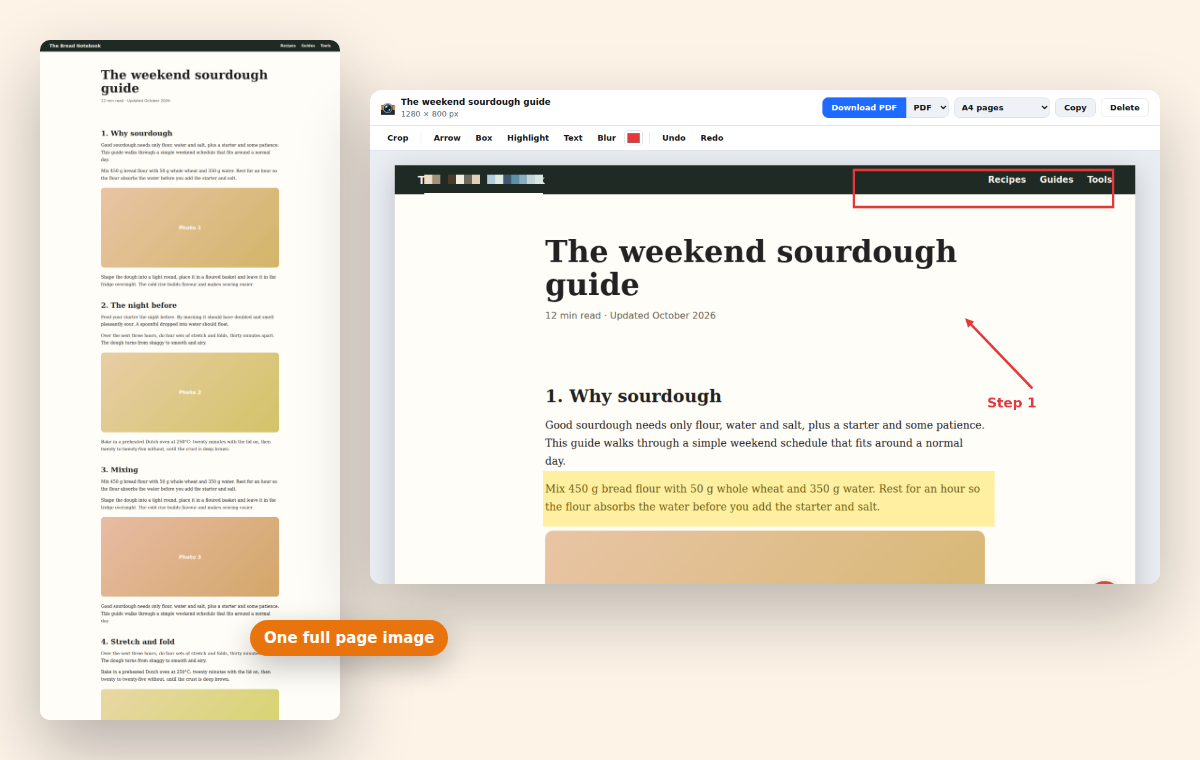
Full page screenshot
Scrolls and stitches the page for you. Sticky menus and chat buttons appear once, not on every screen.
Save as PDF
Turn any page into a PDF with A4 or Letter pages, or one long page. Also PNG and JPG.
Chat apps and dashboards
Captures the panel that actually scrolls in Gmail, Notion, ChatGPT and other web apps.
Area, element or visible part
Drag a rectangle, click an element (even a tall one), or grab what's on screen. With a delay timer.
Crop, highlight, blur
Crop to what matters. With Pro, point things out with arrows, boxes and text, and blur names or emails before you share.
Private by default
Runs on your computer. It only touches the tab you click, when you click. No uploads, no tracking.
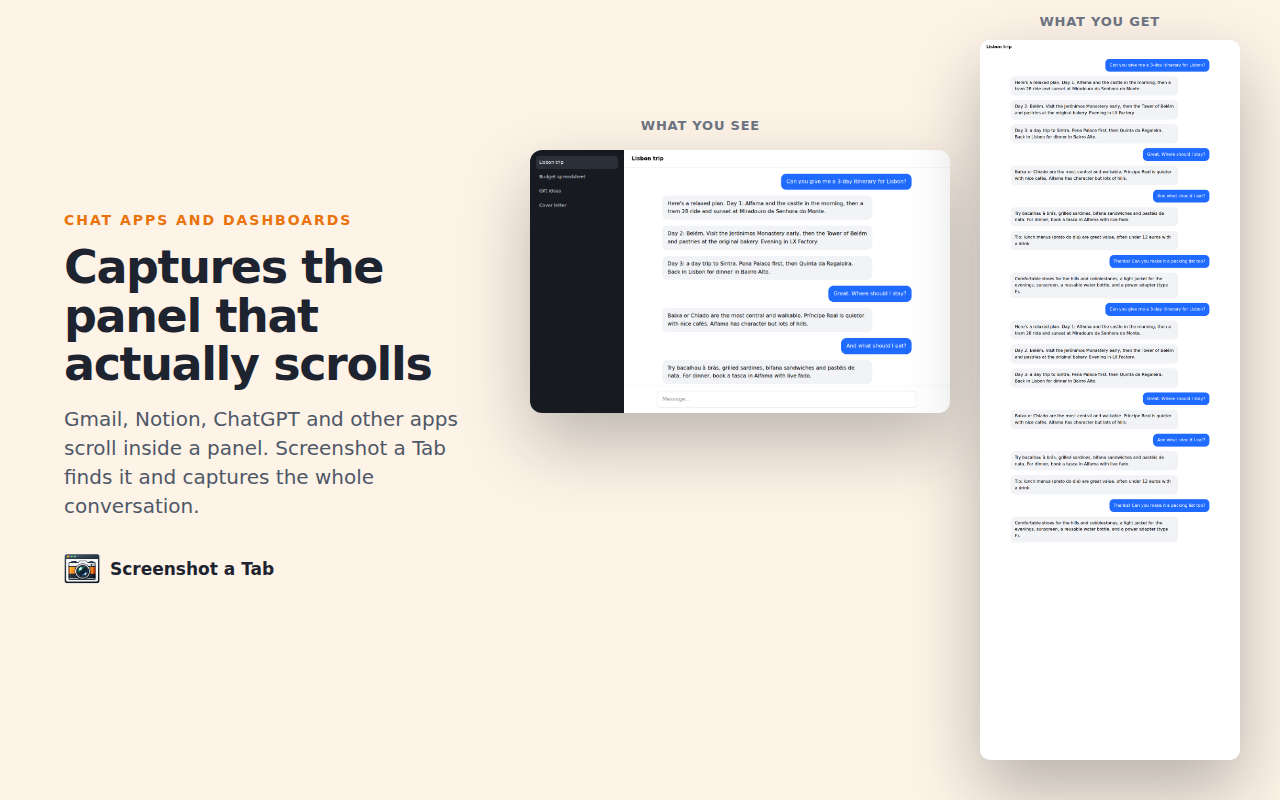
Screenshot a whole ChatGPT conversation
Many apps scroll inside a panel instead of the page, so most screenshot tools only capture one screen. Screenshot a Tab finds the panel that scrolls and captures all of it, from the first message to the last.
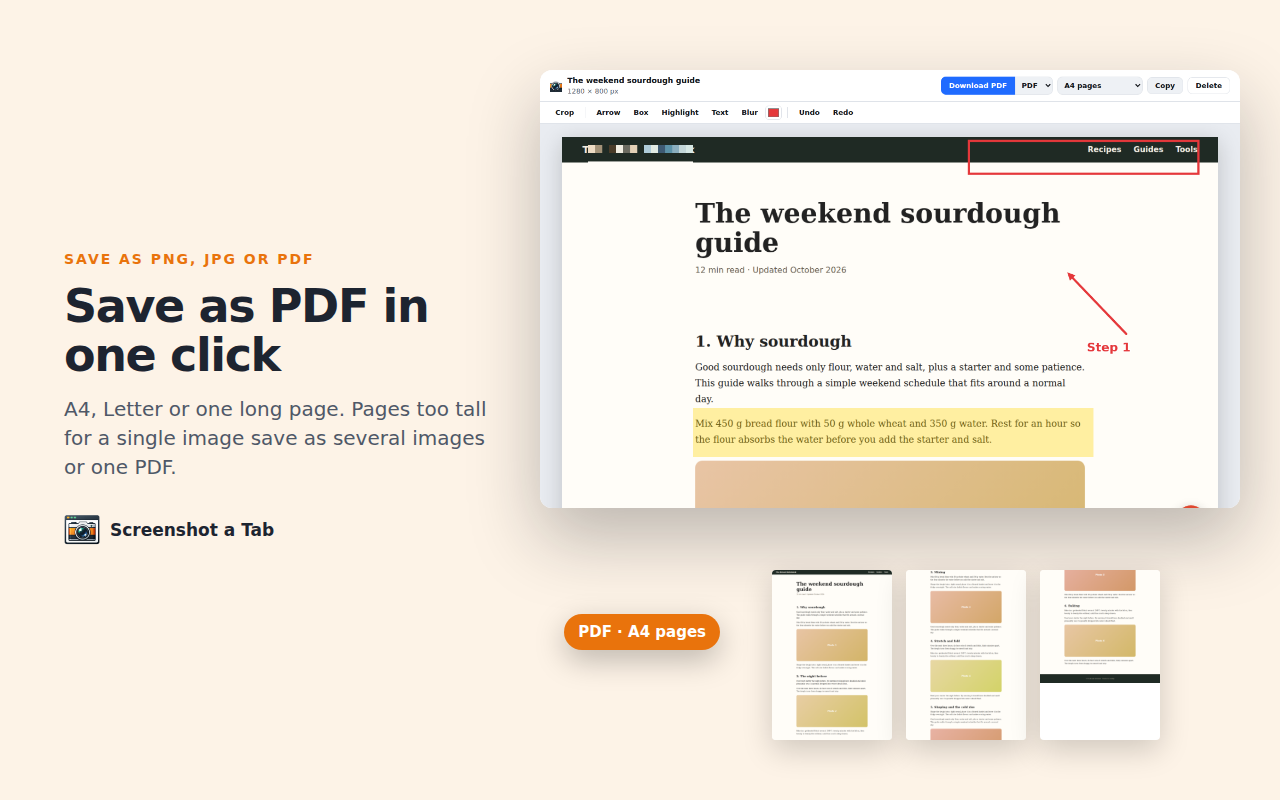
Webpage to PDF, without the print dialog
Pick A4, US Letter or one long page and download. Pages too tall for a single image are split cleanly into parts or pages, instead of failing.
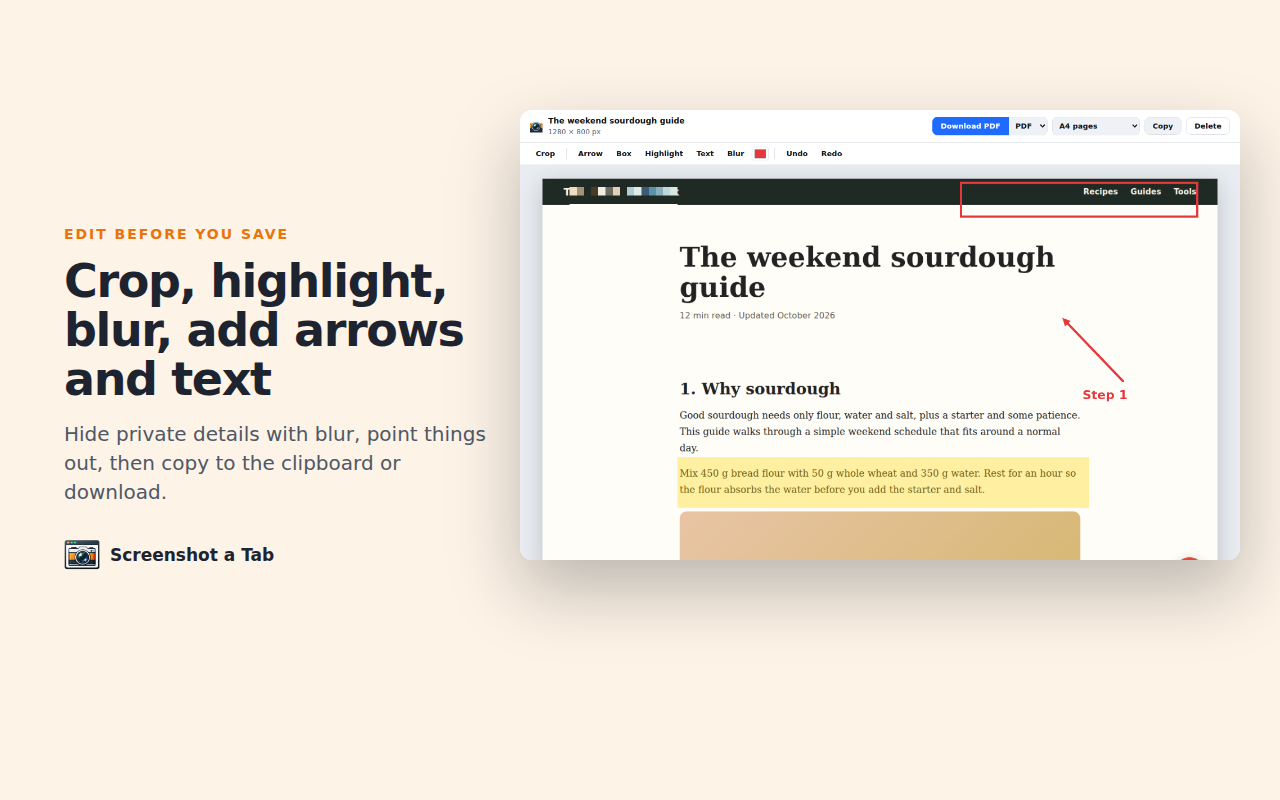
Annotate and hide private details
Crop to what matters, then copy it to the clipboard or download. With Pro, highlight a sentence, draw an arrow, add a note, and blur anything you don't want to share, or let auto-blur find emails, phone numbers and card numbers for you.
Pro, when you need more
Try every Pro tool for free. $12 a year with a 7-day free trial, or $29 once.
Auto-blur private details
Emails, phone numbers, card numbers and IBANs found on the page are blurred in one click.
PDFs with working links
Links in the page stay clickable in the PDF, with an optional header showing the URL and date it was captured.
Many pages at once
Capture all tabs in a window or a list of links into one PDF or a ZIP of images.
Annotate
Arrows, boxes, highlights, text and blur.
Frames for sharing
Put a screenshot in a browser window frame on a background, ready for slides and posts.
Every screenshot, searchable
Keep all your screenshots on your computer and find them by page title or address.
How it compares
| Screenshot a Tab | Many free tools | |
|---|---|---|
| Full page on long pages | ✓ | Often |
| Chat apps and inner panels | ✓ | Rarely |
| Sticky headers shown once | ✓ | Rarely |
| PDF, PNG and JPG | ✓ | Sometimes |
| No account, nothing uploaded | ✓ | Varies |
| Access to every site at all times | Not needed | Usually required |
Questions
How do I take a full page screenshot in Chrome?
Install Screenshot a Tab, open the page and click the icon, then Full page. Or press Alt+Shift+F. The page scrolls by itself and a preview opens where you can save PNG, JPG or PDF.
Can I save a web page as a PDF?
Yes. In the preview pick PDF and choose A4, US Letter or one long page. The PDF contains the page as images, so it looks exactly like the page did.
Why do other tools only capture part of ChatGPT or Gmail?
Those apps scroll inside a panel, not the page. Screenshot a Tab detects that panel and scrolls it instead, so you get the whole conversation or inbox.
Is it free?
Yes. Capturing, cropping and saving in every format are free with no limits and no watermark. Optional Pro adds annotations, auto-blur for private details, PDFs with clickable links, batch capture of many pages and frames. You can try the Pro tools first: it only asks when you save.
Are my screenshots uploaded?
No. They're made and stored on your computer. The extension keeps your last 12 screenshots locally (all of them with Pro) so you can reopen and search them.
Which pages can't be captured?
Chrome doesn't allow extensions on its own pages (like chrome://settings) or on the Chrome Web Store. Everything else works.