
How to Download HLS (.m3u8) Streaming Videos as a Single MP4
Save permitted HLS video as a playable MP4 using Downscript or FFmpeg. Learn how playlists, separate audio tracks and expired links affect the result.
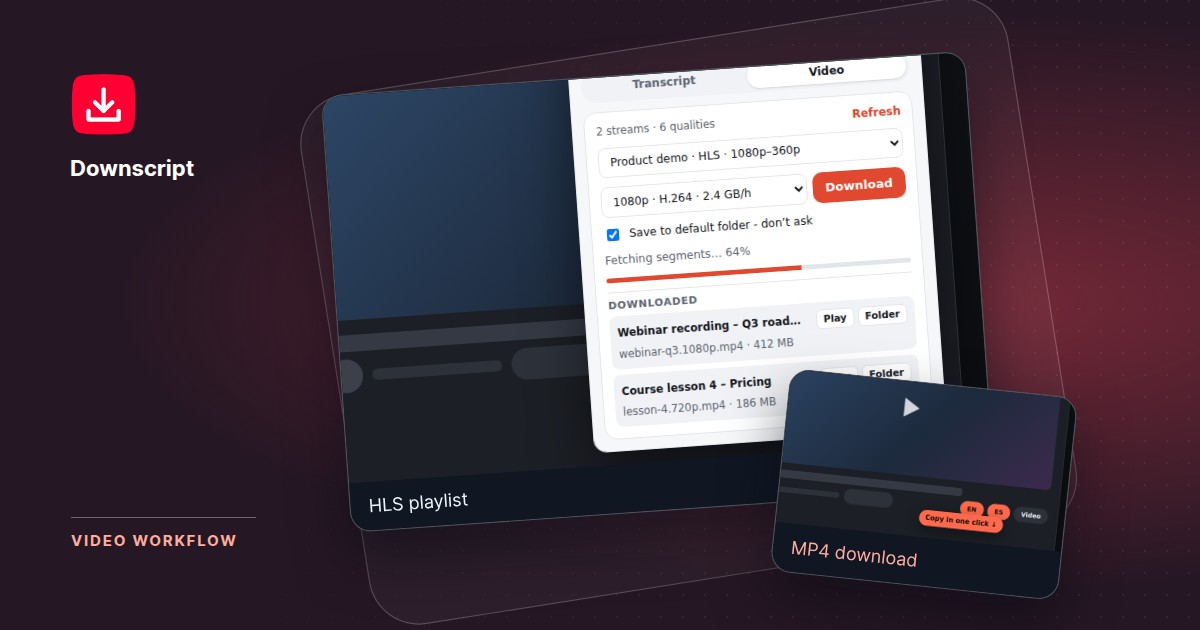
Start with the page that plays the video
- Open the page in Chrome, Edge or Firefox and press play. Give the player a few seconds to load a stream. For an authenticated page, use your existing session and any download option the site provides first.
- Open the Downscript toolbar icon and select Video. Pick an HLS stream and a quality. If the page has several players, match the preview or duration to the video you want.
- Click Download and wait for the segments to finish joining. Before deleting any original files, open the MP4, listen for audio and seek near the end.
For a stable playlist you own, use FFmpeg
On your own web server, point FFmpeg at the authorized playlist with this command. Replace the example URL with your own. -c copy keeps compatible video and audio streams in their original encoding and typically finishes faster than re-encoding.
ffmpeg -i "https://example.com/video/playlist.m3u8" -c copy output.mp4A master playlist can list multiple quality levels and separate audio languages. If the output is silent or contains the wrong track, inspect the available streams before choosing an explicit audio and video mapping. Keep signed media URLs private. For protected video, use the publisher’s authorized download or offline option.
If the download stops or opens without sound
- No stream found. Start playback on the original page and reopen the Video tab. Some previews use a separate embedded player or do not load until playback starts.
- 403 or expired URL. Reload the original page and start again. A copied playlist link can expire or depend on the signed-in session.
- Large file or memory error. Try a lower resolution in the Video tab. For a long source you control, use desktop FFmpeg and check available disk space.
- Unexpected length. A live playlist can contain only a rolling segment window. Use the broadcaster’s published archive if you need the whole event.
See FFmpeg’s stream-selection documentation and Apple’s HLS documentation. If you only need the words, see our transcript and subtitle guide.
Get Downscript
Frequently asked questions
Can I convert a downloaded m3u8 file by renaming it to MP4?
No. The playlist describes a sequence of media segments. A downloader must fetch those segments and put their audio and video into an MP4 container.
Does Downscript download DRM-protected HLS?
No. Downscript rejects DRM-protected streams. Use the provider’s download or offline playback option where available.
How many downloads are free?
Downscript includes three supported video downloads per day. Pro removes the daily limit. Store restrictions and DRM limits still apply.